UptimeRobot importer
UptimeRobot is a SaaS-based service for monitoring the uptime of internet services. It can be used to monitor the availability of system components (web applications, services, hosts), the validity of SSL certificates, the status of ports and the presence of keywords in HTTP responses from the Internet.
Versio.io can import the data from UptimeRobot, historize it and integrate it into topologies. This creates an overall picture of the IT landscape including the external monitoring status of UptimeRobot.
This enables a root cause analysis of UptimeRobot data on the internal infrastructure and application components of companies in the context of an IT incident. Another benefit scenario would be the calculation of penalty payments on the basis of UptimeRobot data in the context of service level agreements.
Configuration
You can find the configuration option in Versio.io at Environment settings -> One Importer -> Configuration -> UptimeRobot.
Here you can edit all existing configurations, create new configurations or delete existing configurations.
To add a new configuration, enter a Name for your importer and an Entity suffix (default: -uptime-robot) to clearly identify your UptimeRobot entities.
Note that the Entity suffix is fixed and cannot be changed afterwards.
Click Add to proceed to the configuration.
To edit an existing configuration, click the arrow on the left of your importer name to expand the configuration options.
The following configuration options are available:
| Field | Description | Advice |
|---|---|---|
| Name | Meaningful name | Add the phrase "UptimeRobot" to identify the importer when viewing the logs |
| Active | Option to activate and deactivate the configuration. Data is only imported if the configuration is activated. | |
| API key | Paste in the required API key for the UptimeRobot API | Can be a read-only API key |
| Executing OneImporter | Select a Versio.io OneImporter to import the data based on the importer configuration. | Requires an installed OneImporter: Installation instructions |
| Schedule time (cron format) | Determine the frequency of imports in CRON format | Learn more about CRON format: https://en.wikipedia.org/wiki/Cron |
Table: UptimeRobot configuration parameters
The following image is an example of an UptimeRobot configuration:
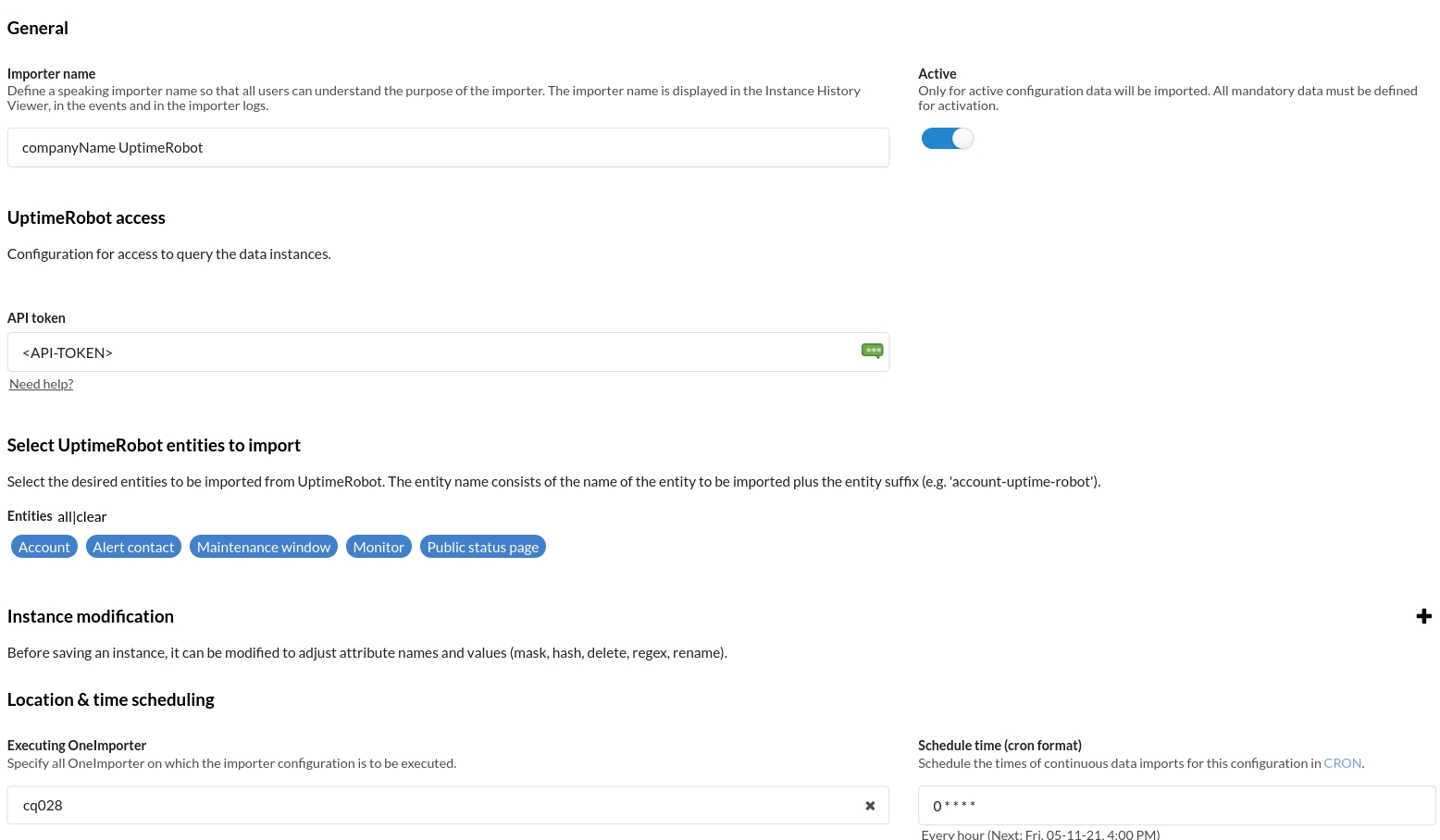
Example
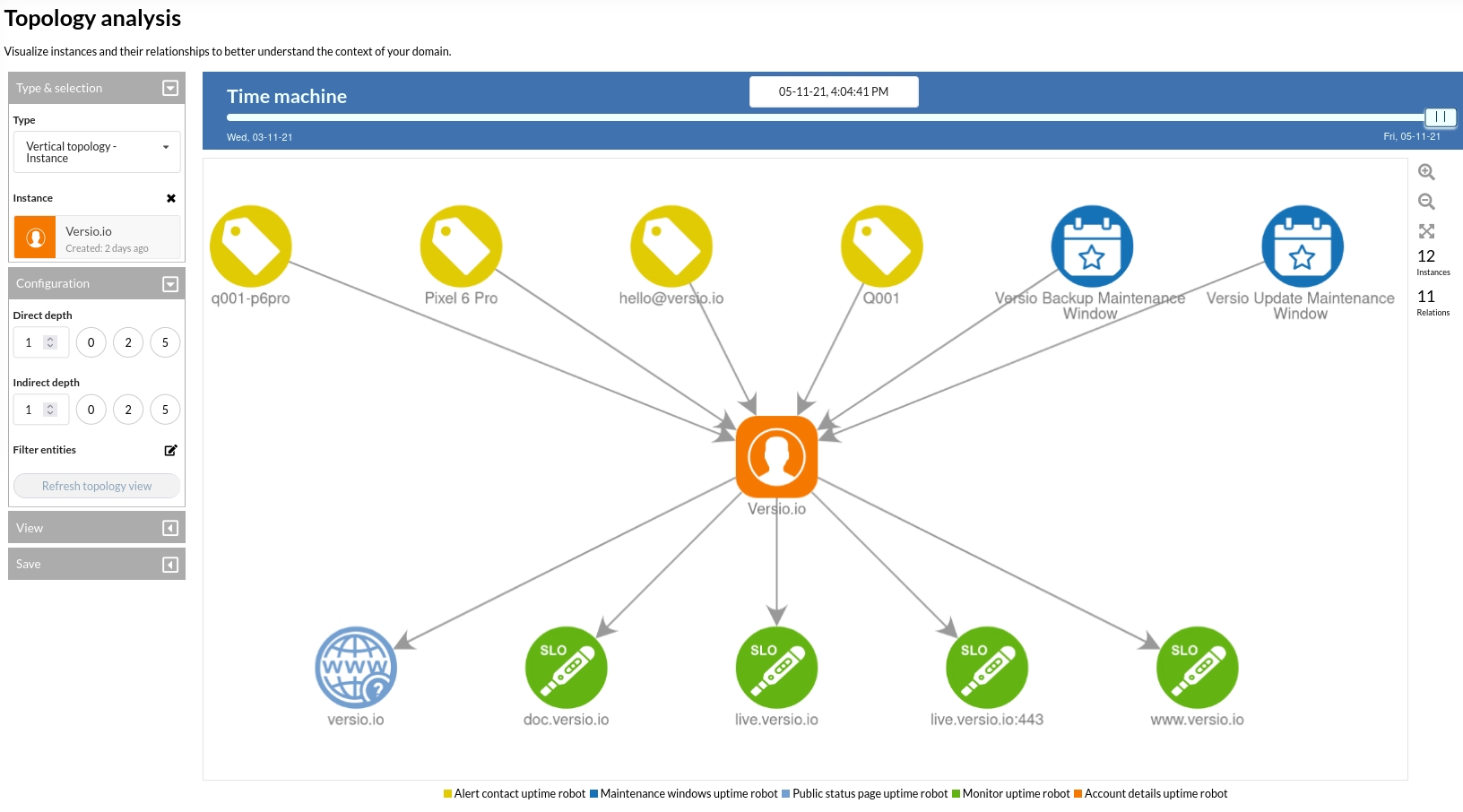
The Versio.io OneImporter imports UptimeRobot data based on a specific configuration into entities with a suffix defined by you (default: -uptime-robot). To view the imported instances in Versio.io,
select 'Analytics & reporting -> Topology Analysis'. There you can select your specific instance and click it for a detailed view in the instance history viewer.
The following image is an example of imported UptimeRobot data.